Worms
Self-replicating malware that spreads across networks without needing a host file or user action.
Lea esta ficha de referencia en español
Executive Summary
A worm is standalone malware that copies itself and spreads from computer to computer across a network, often with no user action at all. Unlike a virus, it does not need a host file to attach to, and unlike a Trojan, it does not rely on deception. Its self-replication can consume bandwidth, overload systems, and deliver a payload at scale very quickly.
What It Is
A computer worm is a self-contained program that reproduces itself and moves between systems on its own. This independence is its defining trait: a virus must attach to a host and wait for that host to run, but a worm carries everything it needs and can propagate automatically. Many of the most damaging outbreaks in security history were worms because they could spread across an entire network in minutes without anyone clicking anything. Worms commonly travel by exploiting a software vulnerability, abusing network shares and services, or in some cases by mailing copies of themselves. A worm may also carry a payload, such as installing a backdoor, dropping ransomware, or building a botnet.
Why It Matters
Speed and autonomy make worms uniquely dangerous. Because they self-replicate without user action, a single unpatched system can seed an outbreak that spreads faster than defenders can respond manually. Worms can saturate networks, crash services, and deliver destructive payloads across thousands of machines. Their history is a lasting argument for prompt patching, network segmentation, and the ability to isolate systems quickly. For professionals, worms illustrate why proactive controls and containment planning matter as much as detection.
How It Works
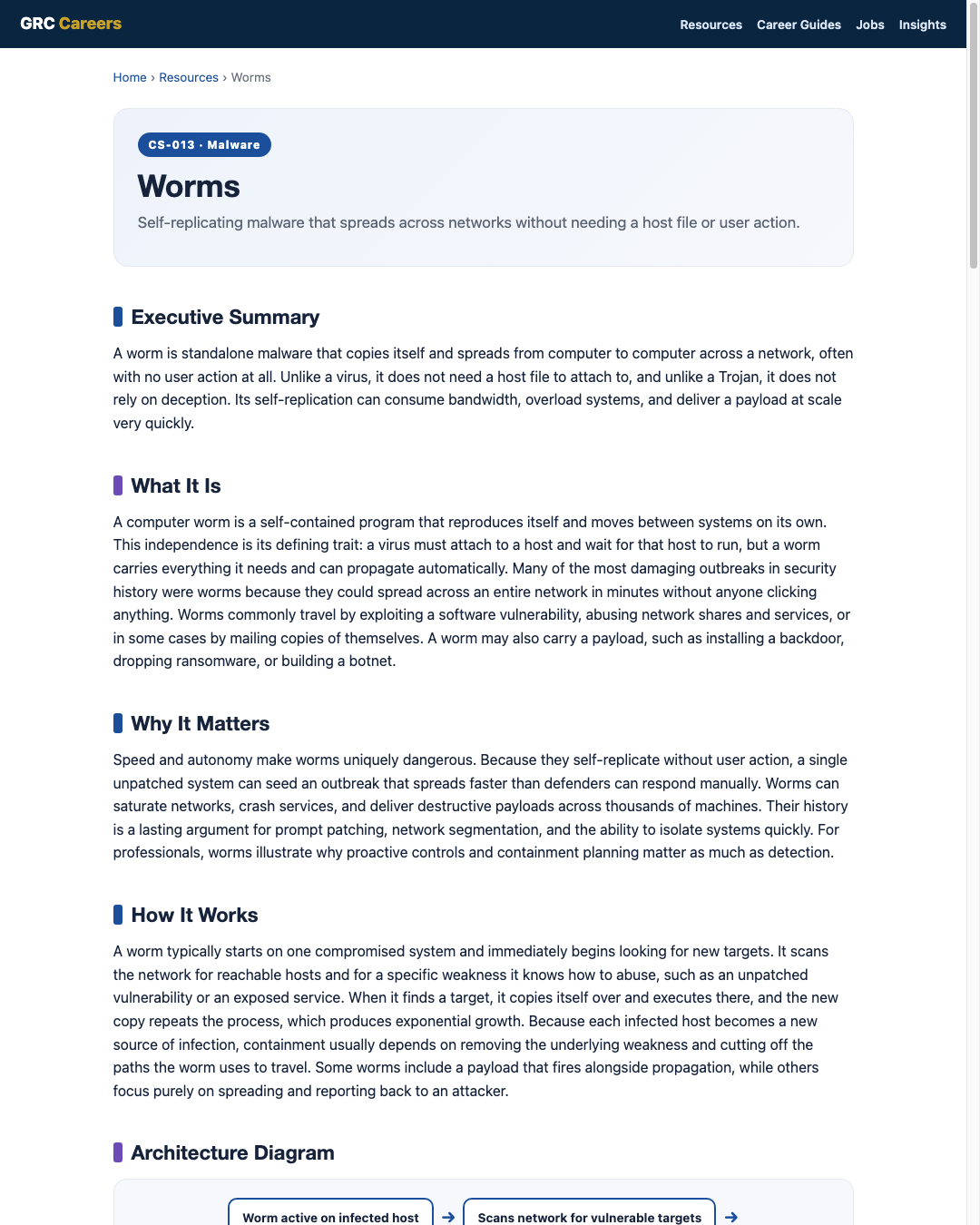
A worm typically starts on one compromised system and immediately begins looking for new targets. It scans the network for reachable hosts and for a specific weakness it knows how to abuse, such as an unpatched vulnerability or an exposed service. When it finds a target, it copies itself over and executes there, and the new copy repeats the process, which produces exponential growth. Because each infected host becomes a new source of infection, containment usually depends on removing the underlying weakness and cutting off the paths the worm uses to travel. Some worms include a payload that fires alongside propagation, while others focus purely on spreading and reporting back to an attacker.
Architecture Diagram
Visual Workflow
Common Attacks
- Exploiting unpatched network-facing vulnerabilities to spread automatically
- Abusing open file shares and network services to copy across hosts
- Mass mailing copies of itself to spread through email
- Dropping ransomware or backdoors as a payload during propagation
- Consuming bandwidth and resources to the point of disrupting operations
Common Mistakes
- Leaving internet-facing systems unpatched against known worm-exploited flaws
- Running flat networks with no segmentation to slow lateral spread
- Exposing unnecessary services and file shares to the wider network
- Lacking a way to quickly isolate infected systems during an outbreak
- Relying only on detection without a containment and recovery plan
Best Practices
- Patch promptly, prioritizing network-facing and remotely exploitable flaws
- Segment networks so an outbreak cannot spread freely across the environment
- Disable or restrict unnecessary services, ports, and file shares
- Deploy endpoint and network detection to catch rapid abnormal activity
- Prepare and rehearse a containment plan to isolate systems fast
- Maintain tested backups so infected systems can be rebuilt cleanly
Quick Checklist
- Network-facing systems patched against known exploited vulnerabilities
- Network segmentation in place to limit lateral movement
- Unnecessary services, ports, and shares disabled or restricted
- Detection tuned to spot rapid scanning and replication
- Documented, rehearsed procedure to isolate infected hosts
- Tested backups available for clean rebuilds
Recommended Tools
Finds the unpatched flaws worms commonly exploit
Spots the rapid scanning and lateral movement worms produce
Detects and contains worm activity on individual hosts
Limits the paths a worm can use to spread
Industry Standards
Guidance on preventing and handling malware, including fast-spreading threats
Incident handling, containment, and recovery for outbreaks
Patch management and network defenses that limit worm spread
Career Relevance
Worms are a key study for SOC analysts and incident responders, who must detect rapid spread and contain it before it overwhelms the network. Security engineers apply the lessons through patching, segmentation, and service hardening, and malware analysts examine worm code to understand its propagation and payload. GRC professionals use worm scenarios to justify patch and segmentation controls. The AI-Governance-Jobs.com audience gains a clear model of why speed of response matters.
Interview Questions
- How does a worm differ from a virus and a Trojan?
- Why can worms spread without any user action?
- How does network segmentation help contain a worm outbreak?
- Why is prompt patching especially important against worms?
- What steps would you take to contain a worm spreading across a network?
Related Certifications
Further Reading
- NIST SP 800-83: Guide to Malware Incident Prevention and Handling
- CISA: Cybersecurity Best Practices
- MITRE ATT&CK
Key Takeaways
- A worm is standalone malware that self-replicates and spreads across networks.
- It needs no host file and often no user action, unlike a virus or Trojan.
- Self-replication can cause outbreaks faster than manual response can handle.
- Patching, segmentation, and fast isolation are the strongest defenses.
- Worms show why proactive controls and containment planning are essential.
FAQ
What is the main difference between a worm and a virus?
A virus must attach to a host file and needs that file to be run before it spreads. A worm is a standalone program that copies itself and spreads across networks on its own, often with no user action.
Why are worms considered so dangerous?
Because they self-replicate automatically, worms can spread across an entire network in minutes, faster than defenders can respond by hand. They can saturate networks and deliver destructive payloads at scale.
How do you stop a worm outbreak?
Remove the weakness it exploits by patching, isolate infected systems, cut off the network paths it uses to spread, and rebuild affected machines from tested backups. Segmentation ahead of time makes all of this far easier.
Related Careers
Related certifications
CompTIA Security+ISC2 Certified in Cybersecurity (CC)GIAC Reverse Engineering Malware (GREM)Current openings
Suggested learning path
- Ground the basics with CS-001 Cybersecurity
- Study this sheet: Worms
- Go deeper: Computer Viruses
- Go deeper: Trojans
- Validate it: work toward CompTIA Security+
- Find the role: browse current openings