Home › Resources › macOS Security
macOS Security
Hardening and defending Apple Mac computers and the accounts that use them.
Executive Summary
macOS security is the practice of hardening, managing, and defending Apple Mac computers and the accounts that sign in to them. Macs ship with strong built-in protections, but in a business setting they still need management, monitoring, and disciplined configuration. Understanding Apple's protections and where they end is the key to securing a Mac fleet.
What It Is
macOS security covers Apple's layered protections and the administrative controls that manage them. On modern Macs this includes hardware security built into Apple silicon and a secure boot process, System Integrity Protection that restricts changes to protected system areas, Gatekeeper and notarization checks that vet applications before they run, and built-in malware defenses such as XProtect. It also includes account and privilege controls, FileVault disk encryption, and enrollment in a mobile device management service so an organization can enforce policy, deploy configuration profiles, and respond if a Mac is lost.
Why It Matters
Macs are common among executives, developers, and creative teams, and they often hold sensitive data and credentials. While macOS has a strong default security posture, attackers increasingly target it with malicious installers, fake updates, and social engineering, and an unmanaged Mac can slip outside an organization's visibility entirely. For professionals, Mac administration and security are growing skills as businesses run mixed fleets, and knowing how Apple's protections work is valuable across IT and security roles.
How It Works
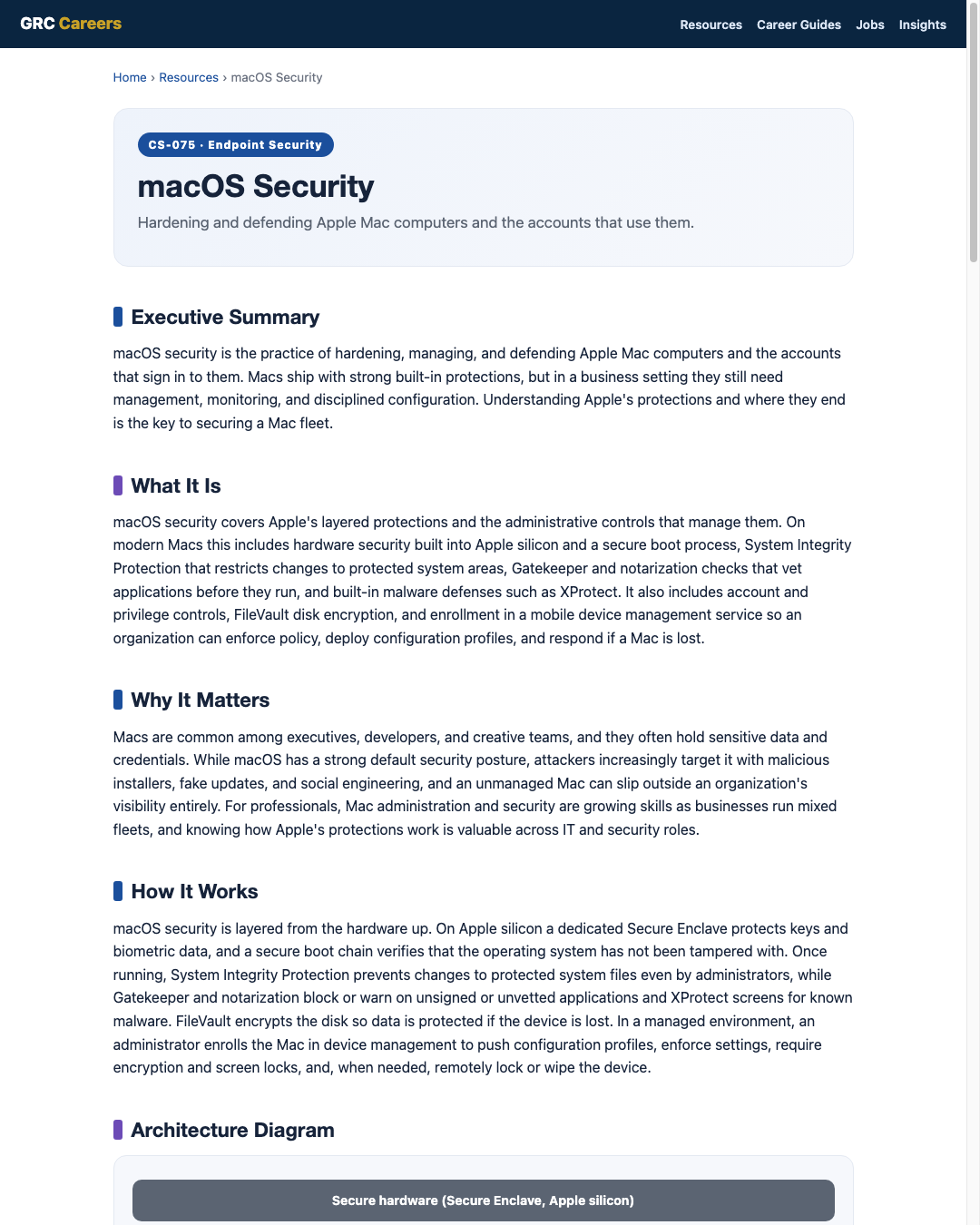
macOS security is layered from the hardware up. On Apple silicon a dedicated Secure Enclave protects keys and biometric data, and a secure boot chain verifies that the operating system has not been tampered with. Once running, System Integrity Protection prevents changes to protected system files even by administrators, while Gatekeeper and notarization block or warn on unsigned or unvetted applications and XProtect screens for known malware. FileVault encrypts the disk so data is protected if the device is lost. In a managed environment, an administrator enrolls the Mac in device management to push configuration profiles, enforce settings, require encryption and screen locks, and, when needed, remotely lock or wipe the device.
Architecture Diagram
Visual Workflow
Common Attacks
- Malicious installers and fake updates disguised as legitimate software
- Social engineering that convinces users to bypass Gatekeeper warnings
- Adware and browser-hijacking bundles installed by tricked users
- Credential phishing targeting Apple, cloud, and corporate accounts
- Exploitation of unpatched macOS or third-party application vulnerabilities
Common Mistakes
- Assuming Macs do not need management, patching, or monitoring
- Disabling System Integrity Protection or Gatekeeper for convenience
- Running daily as an administrator instead of a standard user
- Leaving FileVault off so a lost Mac exposes its data
- Keeping Macs outside device management with no central visibility
Best Practices
- Enroll Macs in a device management service and apply a hardening baseline
- Keep System Integrity Protection, Gatekeeper, and notarization checks enabled
- Require FileVault encryption and escrow recovery keys
- Use standard user accounts by default and limit administrator rights
- Require strong sign-in with multi-factor authentication for cloud and corporate accounts
- Add endpoint protection and central logging for visibility beyond the built-in defenses
- Patch macOS and third-party applications promptly
Quick Checklist
- Macs enrolled in device management with a hardening baseline applied
- FileVault enabled and recovery keys escrowed
- System Integrity Protection and Gatekeeper enabled
- Standard user accounts default, administrator rights limited
- MFA enforced for cloud and corporate sign-in
- Endpoint protection and central logging in place
- macOS and third-party apps current on a defined schedule
Recommended Tools
Enrolls Macs and enforces configuration, encryption, and remote actions
Built-in full-disk encryption that protects data at rest
Built-in checks that vet applications before they run
Adds behavioral detection and visibility beyond built-in defenses
Industry Standards
Prescriptive hardening settings tested for macOS
Government guidance for baseline macOS configuration
Frames Mac controls under Identify, Protect, Detect, Respond, Recover
Career Relevance
macOS security matters for endpoint security engineers, IT security administrators, and SOC analysts supporting mixed fleets, as well as Apple-focused device management specialists. Security engineers and GRC auditors also need it to assess Mac controls against benchmarks, part of the audience AI-Governance-Jobs.com serves.
Interview Questions
- What built-in macOS protections would you rely on, and where do they fall short?
- How does device management change the security posture of a Mac fleet?
- Explain System Integrity Protection and why disabling it is risky.
- How would you ensure every corporate Mac is encrypted with recoverable keys?
- What signs would make you suspect a Mac is compromised, and where would you look?
Related Certifications
Further Reading
Key Takeaways
- Macs ship with strong defenses, but business fleets still need management, patching, and monitoring.
- Protection stacks from secure hardware and boot up through system and application gatekeeping.
- System Integrity Protection, Gatekeeper, and FileVault are powerful when left enabled.
- Standard user accounts and enrollment in device management close common gaps.
- Endpoint protection and logging add visibility the built-in defenses do not provide alone.
FAQ
Do Macs get malware?
Yes. macOS has strong built-in defenses, but attackers target it with malicious installers, fake updates, adware, and phishing. Management, patching, and monitoring remain important in a business setting.
Is the built-in security enough for a company Mac?
The built-in protections are a strong baseline, but organizations typically add device management for policy enforcement, FileVault escrow, and remote actions, plus endpoint protection and logging for visibility across the fleet.
Should users run as administrators on their Macs?
No. Daily work should use a standard account, with administrator rights reserved for specific tasks. This limits what malware or a mistaken action can change on the system.
Related Careers
Related certifications
CompTIA Security+Apple Certified Support ProfessionalJamf Certified Tech (device management track)Current openings
Suggested learning path
- Ground the basics with CS-001 Cybersecurity
- Study this sheet: macOS Security
- Go deeper: Windows Security
- Go deeper: Linux Security
- Validate it: work toward CompTIA Security+
- Find the role: browse current openings